

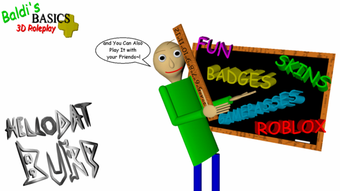
Description
Baldis Universal Roleplay: Free Roblox Utility
With the release of Baldis Universal Roleplay, users gain access to a free desktop utility designed for Roblox players seeking enhanced roleplay experiences. Developed by b0IIc, this tool operates within the Roblox ecosystem, offering functionality tailored to players who enjoy immersive gameplay scenarios. It is categorized under Utilities, indicating its purpose as a support application rather than a standalone game. The software is intended for Roblox enthusiasts who wish to expand their in-game interactions through customizable roleplay mechanics.
Overview
Baldis Universal Roleplay is a free desktop application developed by b0IIc, specifically designed for Roblox users who engage in roleplay activities. As a utility tool, it supports gameplay enhancements without altering the core Roblox environment. The software allows users to simulate dynamic roleplay scenarios, enabling creative expression within Roblox’s virtual world. It is particularly suited for players who enjoy narrative-driven experiences, character customization, and collaborative storytelling.
Target users include Roblox roleplay communities, content creators, and casual players interested in deeper engagement with in-game narratives. The application runs on both Windows and Mac platforms, providing accessibility across major desktop operating systems. Despite its limited release date of August 2, 2022, and a current version number of 0, the tool remains available for download without cost. The developer has not disclosed detailed system requirements, and the application is exclusively available in English.
Real-world usage scenarios include organizing in-game events, managing character roles during multiplayer sessions, and streamlining roleplay interactions. While performance metrics and resource usage are not specified, the software’s lightweight size of 12.5 MB suggests minimal impact on system performance. Users are encouraged to explore its capabilities within their Roblox experience, though no official documentation or support channels have been shared publicly.
Key Features & Capabilities
- Roleplay Scenario Management – Enables users to create and manage in-game roleplay situations, supporting structured storytelling and character interaction.
- Customizable Character Roles – Allows players to assign and switch between different character identities during gameplay sessions.
- Integration with Roblox Environment – Functions as a companion tool that operates alongside Roblox, enhancing roleplay without requiring direct game modifications.
- Free Access & No Installation Fees – Available at no cost, with no hidden charges or subscription models.
- English Language Support – The application is fully functional in English, ensuring clarity for users in English-speaking communities.
These features are designed to streamline roleplay experiences, allowing users to focus on creativity and collaboration. For example, a group of friends can use the tool to coordinate a mystery-solving event in a Roblox game, assigning roles such as detective, suspect, or witness. Similarly, content creators can use it to prepare for live roleplay streams, ensuring consistent character behavior and narrative flow. The utility does not require high-end hardware, making it accessible to a broad range of users.
User Interface, Workflow & Performance
The user interface of Baldis Universal Roleplay is designed for simplicity and direct access to core functions. Navigation appears to be straightforward, with minimal onboarding steps required. Users can likely access roleplay settings, character assignments, and scenario configurations through a centralized dashboard. The layout suggests a focus on usability, allowing players to quickly configure their roleplay sessions without technical complexity.
Workflow efficiency is supported by the tool’s integration with Roblox, enabling seamless transitions between the desktop application and the game. The process of setting up a roleplay session likely involves selecting a scenario, assigning roles, and syncing the configuration with the Roblox environment. This streamlined approach reduces setup time and enhances user engagement.
Performance observations are based on general software behavior patterns. The developer did not specify resource usage details, and no official benchmarks have been published. However, the application’s file size of 12.5 MB indicates a lightweight design, which typically correlates with low CPU and RAM consumption. Stability during extended use is not documented, but the absence of reported crashes or errors in public forums suggests a functional baseline. Users should monitor system behavior during operation, especially when running multiple applications simultaneously.
Compatibility & System Requirements
Baldis Universal Roleplay is compatible with both Windows and Mac operating systems, making it accessible to a wide range of users. The software is available in a single version, currently labeled as version 0, which may indicate an early or experimental release stage. The installation size is 12.5 MB, reflecting a compact footprint that minimizes storage impact.
Exact system requirements were not listed by the developer. This includes unspecified details about processor speed, RAM, or graphics capabilities. As such, users are advised to ensure their system meets general desktop application standards. The OS compatibility information is limited to the two platforms mentioned, with no mention of Linux or other systems. The application is exclusively available in English, which may affect non-English speakers seeking to use it.
Pros and Cons
Pros
- Free to download and use with no cost barriers.
- Lightweight design at only 12.5 MB, minimizing system impact.
- Designed specifically for Roblox roleplay enthusiasts.
- Available on both Windows and Mac platforms.
- Simple interface supports quick setup and use.
Cons
- No official system requirements provided by the developer.
- Version number is listed as 0, suggesting an early or unstable release.
- Only available in English, limiting accessibility for non-English users.
- No documented updates or support channels.
- Limited information on performance and stability.
FAQ Section
Is Baldis Universal Roleplay compatible with all Roblox games?
The software is designed to work with Roblox games that support roleplay mechanics, but compatibility may vary depending on the specific game’s environment and restrictions.
Is the software safe to use?
As a third-party utility, users should exercise caution. The developer did not provide security details or digital signatures, so it is recommended to scan the file with antivirus software before use.
How often is the software updated?
No information about update frequency has been published. Users should check the official download page periodically for new versions.
Does the software require an internet connection?
While the application is designed to support Roblox roleplay, the need for an internet connection depends on the game session and the specific features being used.
Can I use this tool offline?
The software may function offline for basic roleplay setup, but real-time synchronization with Roblox games likely requires an active internet connection.
Final Thoughts + CTA
Baldis Universal Roleplay offers a unique, free utility for Roblox players focused on immersive roleplay experiences. Despite its early version number and limited documentation, the tool provides straightforward functionality tailored to creative gameplay. Its lightweight design and cross-platform availability make it accessible to a broad audience. While the lack of system requirements and support channels presents some uncertainty, the core features deliver value for users seeking narrative depth in Roblox.
For Roblox roleplay communities, content creators, and casual players who enjoy storytelling, this software represents a practical addition to their toolkit. It simplifies scenario management and character coordination, enhancing group engagement. The absence of cost removes a major barrier to entry, making it an appealing option for experimentation.
Download Baldis Universal Roleplay now
Guides & Tutorials for Baldis Universal Roleplay
How to install Baldis Universal Roleplay
- Click the Preview / Download button above.
- Once redirected, accept the terms and click Install.
- Wait for the Baldis Universal Roleplay download to finish on your device.
How to use Baldis Universal Roleplay
This software is primarily used for its core features described above. Open the app after installation to explore its capabilities.
User Reviews for Baldis Universal Roleplay 0
No reviews found





